Check Ins
Overview
When you try to get a seat at a restaurant you can check-in to the restaurant and keep track of how long you have been waiting. This helps your Mealinvy community get a avg wait time.
Pick the restaurant and click the restaurant to check in and start the active checkin timer.
Active Check In
There is multiple ways to create a meal. You can create a meal from the dashboard quick actions or click the Meals > Actions > Create Meal button.
This is the screen where you enter a meal into your meal log. When we create apps, we want them to be self-explanatory and simple to use.
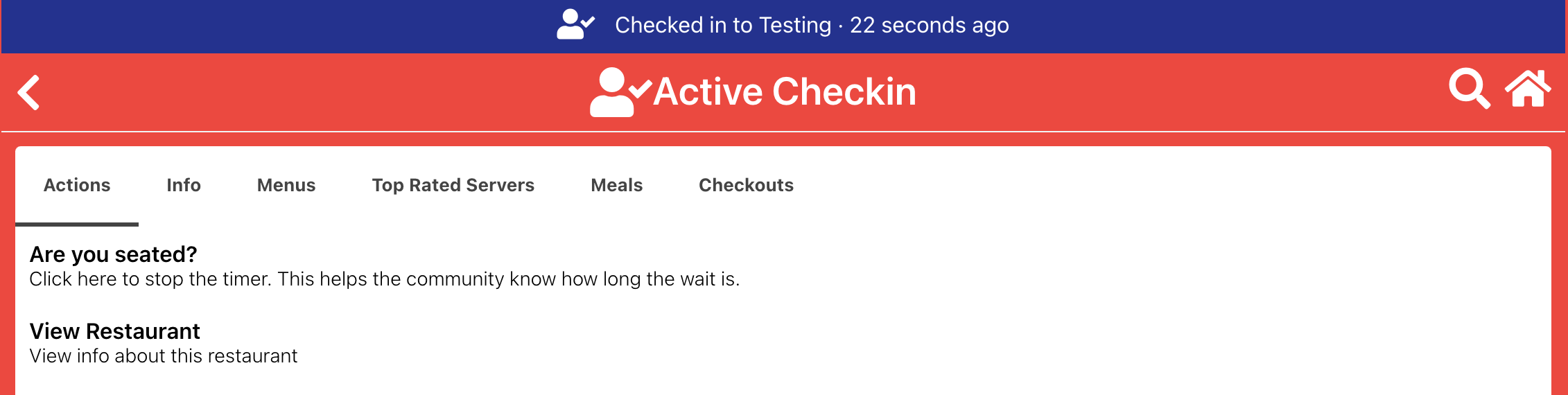
Actions
- Are you seated button: Click the seated button when you get a seat at the restaurant.
- View Restaurant button: Click the view restaurant button to see the restaurant's page.
I'm seated
If you are seated at the restaurant you can click the I'm seated button to stop the timer and add the time to the avg wait time.

- I am not seated button: This is like a cancel button and will not end the check in timer.
- I am seated button: This will end the check in timer and add the time to the avg wait time.